FAQ of Keystorke Converter
What Can I do with keystroke converter?
1. Change one key for another. [ such as : Table key -> Enter key ]
2. Change one key for a sequence of keys.[ such as : F2 -> Alt + Table]
3. Change a sequence of keys for another sequences. [ such as : Ctrl + C -> Ctrl + V ]
4. Accomplish text input with one or a sequence of keystrokes.[such as: Ctrl + 1 -> www.softboy.net]
5. Accomplish Macro with one or a sequence of keystrokes. [such as: Ctrl + 2 -> Open url: http://www.softboy.net/key ]
6. Disable one or a sequence of keystorkes. [such as: Disable Alt + F4]
7. Input sepcial text. [such as: Ctrl+A ->ιd1σ]
How long can I receive my registration code after purchasing?
Your registration code is emailed to you right away! No waiting!
How to uninstall the program.
- Click Start, and then click Control Panel.
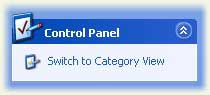
- Click Performance and Maintenance.
- Click Add/Remove Program, and then select KeyTrans (Remove only).
What is the Action / Macro of Keystorke Converter?
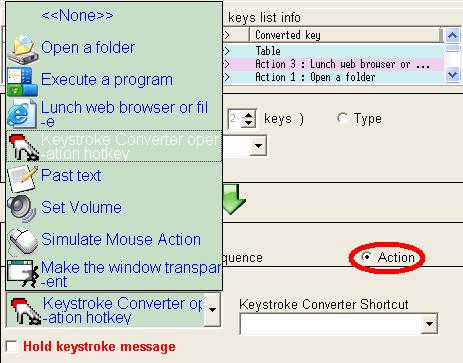
A macro is a set of commands to perform a task. Typically many commands are repetitive and monotonous. A macro lets you run these repetitive actions with a single keystroke. Keystroke Converter defines an action as what gets done by one macro, such as "open a web page", "execute a program", "type text","simulation mouse", " inserts a section of texts", "make window to be body transparent " and others. . If you want to Enable/Disable Keystorke Converter you must set up here.
How to disalbe "Start by windows startup"
Click "File" and uncheck "Start by windows startup".
How to input special character such as 'σ'?
Click 'Add'->Action ->Past text->Input/Past your characters (such as 'σό')->Save.
FAQ of Keystorke Converter